
Planting
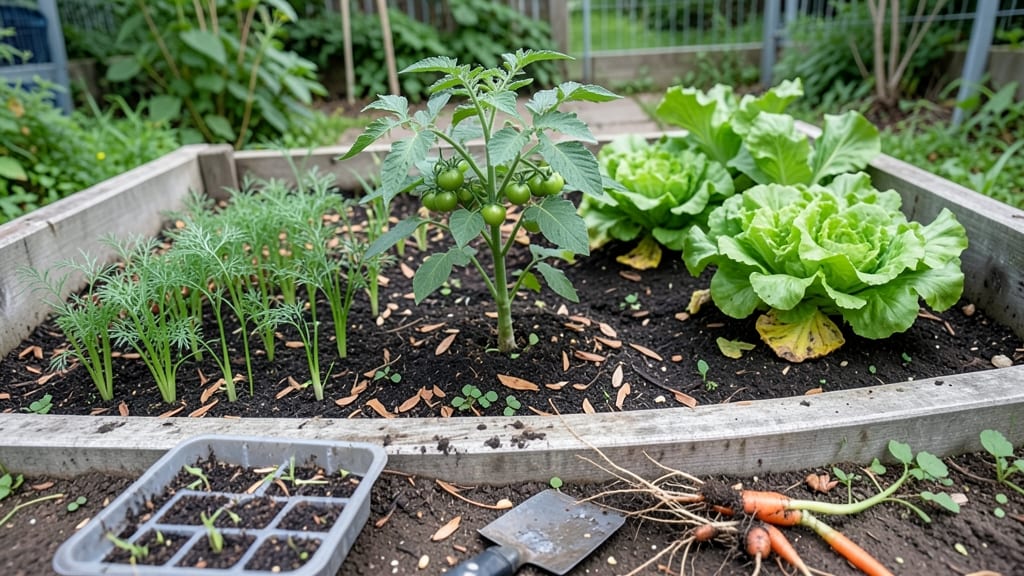
A customizable garden plan template 📝 is your secret weapon for turning blank dirt into a high-yield, low-stress growing space—no guesswork required.
Picture this: you’ve spent hours dreaming up the perfect garden layout, only to realize mid-planting that your tomatoes are crowding out the basil. A well-designed template saves you from costly mistakes by mapping out sun exposure, plant heights, and companion pairings before you break ground.
Whether you’re a first-time gardener or a seasoned green thumb, the right template helps you maximize space, extend harvests, and even rotate crops for healthier soil. No more wasted seeds or overcrowded beds—just a clear, actionable blueprint for your spring planting.
Below, I’ll walk you through how to pick the perfect template for your space, customize it for your climate, and avoid the three most common pitfalls that derail even the best-laid plans.
How to choose the perfect garden plan template for your space and goals
A garden plan template transforms your gardening dreams into a practical layout, but not all templates suit every space or goal. Whether you're working with a small urban patio or a rural half-acre, the right template maximizes efficiency, yield, and beauty.
Start by assessing your yard size, sunlight patterns, and planting priorities—urban gardeners may prioritize vertical space and container layouts, while rural gardeners can focus on row planting or square-foot gardening.
Your gardening goals also dictate the template style. Are you growing food for harvest, cultivating ornamental flowers, or creating a pollinator-friendly ecosystem? Each requires different spacing, companion plants, and seasonal rotations.
For example, a vegetable garden needs precise spacing for airflow, while a flower bed can prioritize color contrast and height variation. Matching your template to these needs ensures long-term success and minimizes wasted effort.
| Template Type | Best For | Space Requirements | Key Features | Seasonal Flexibility |
|---|---|---|---|---|
| Square-Foot Gardening | Vegetables, herbs, high-yield crops | Small to medium (10-100 sqft) | 1 sqft blocks, precise spacing, intensive planting | High (easy crop rotation) |
| Row Planting | Large-scale veggies, grains, root crops | Medium to large (100+ sqft) | Straight rows, machinery-friendly, wide spacing | Moderate (requires planning) |
| Container Gardening | Urban patios, balconies, small spaces | Any size (scalable) | Portable pots, vertical towers, dwarf varieties | Very high (swap containers seasonally) |
| Seasonal Rotation | Year-round harvests, soil health | Any size (adaptable) | Color-coded seasons, crop families, rest periods | Maximum (designed for rotation) |
| Accessibility Layout | Wheelchair users, seniors, limited mobility | Medium to large (wide paths) | Raised beds, short plants, wide walkways | Moderate (focus on ease) |
For urban gardeners, container gardening layouts are a game-changer. They maximize vertical space and allow you to move plants based on sunlight changes. Look for templates that include stackable planters or wall-mounted systems, which can double your growing area in tight spaces.
For example, a 5-gallon bucket can grow tomatoes, while a hanging basket is perfect for strawberries or herbs like basil. Urban templates often integrate hydroponics or aquaponics options for those without traditional soil.
If you're working with a rural setting, row planting or large-scale square-foot grids may be ideal. These templates account for mechanized equipment and larger plantings of staples like corn, beans, or potatoes.
Rural templates often include irrigation mapping to ensure even water distribution across acres. For small farms, consider templates that incorporate polyculture (mixing crops) to improve soil fertility naturally.
Don’t overlook seasonal rotation plans, which are essential for soil health and pest control. A good template will include a color-coded calendar for planting, harvesting, and resting periods.
For instance, planting legumes in spring followed by nightshades in summer and root crops in fall prevents nutrient depletion and breaks pest cycles. Many templates now offer mobile apps that sync with your local frost dates and USDA zone for automated reminders.
Accessibility is another critical factor. If you or someone in your household has limited mobility, choose a template with raised beds no taller than 30 inches and wide pathways (at least 3 feet).
Some templates even include built-in seating or adjustable-height planters. For children or seniors, consider low-maintenance perennials and self-watering systems integrated into the layout.
Before finalizing your template, test it with a trial run. Use string and stakes to map out your chosen layout in the garden. Walk through it to check for sunlight gaps, wind exposure, and accessibility barriers.
Adjust as needed—this step often reveals overlooked challenges, like a shady corner that wasn’t accounted for or a narrow pathway that’s too tight for maintenance tools.
Remember, the best garden plan template is one that evolves with you. Start with a simple layout, track what works and what
Customizable garden plan template features: what to look for in free vs paid options
A customizable garden plan template transforms your gardening dreams into actionable layouts. Whether you're a beginner or seasoned gardener, the right tool helps optimize space utilization, plant health, and harvest yields.
But not all templates are created equal—free options offer basic functionality, while paid software delivers advanced features like automated irrigation planning and seasonal rotation tools. Let’s break down what to prioritize based on your needs.
Start by assessing your garden’s sunlight patterns. A quality template will include shade/sunlight analysis tools to map your yard’s microclimates. For example, a south-facing section might get 8+ hours of sun—ideal for tomatoes—while a north-facing corner could host shade-loving herbs like cilantro or parsley.
Ignoring these details can lead to underperforming plants or wasted space.
Next, consider plant spacing calculators. Free templates often provide static grids, but premium tools dynamically adjust spacing based on mature plant sizes and companion planting rules.
For instance, basil needs 12 inches of space, while carrots require 3 inches—but planting them together deters pests. A good template will flag these interactions automatically.
Now, let’s compare your options with this pros-cons breakdown to help you decide whether to invest in premium tools or stick with free resources.
Free Garden Plan Templates
Paid Garden Planner Apps
If you’re managing a large-scale vegetable garden or commercial plot, paid apps like Garden Planner or Planter justify their cost with features like automated harvest tracking and pest alerts.
For urban gardeners or beginners, a Google Sheets template (with added companion planting rules) can work wonders without breaking the bank.
Don’t overlook mobile-friendly editing. Whether you’re sketching layouts on your phone or adjusting irrigation zones mid-season, seamless syncing between devices is a game-changer. Free tools like Gardenate’s free planner offer basic mobile access, but premium apps provide offline mode and cloud backups—critical if you’re designing on-the-go.
For me, the deciding factor often comes down to time savings. A premium template might take 30 minutes to design a 4-season garden layout with automated reminders, while a free tool could take 3 hours of manual research and adjustments.
Weigh your budget against your gardening goals—whether it’s maximizing square footage or simplifying maintenance schedules.
Ready to start? Try a free Google Sheets template first, then upgrade to a paid app if you need advanced features like soil pH tracking or pollinator-friendly pathways. Happy planting! 🌱